
Published August 11, 2026 · Updated September 22, 2026 · 13 min read
The short answer
Partial (essentials) battery backup protects a chosen set of circuits through a backup-loads sub-panel and usually takes one battery — about $13,000-$19,000 installed in Southern California in 2026 — and one 13.5 kWh unit runs a refrigerator, lights, Wi-Fi, and a TV for roughly 35 hours, or indefinitely with solar recharging it. Whole-home backup keeps every circuit live, which demands more continuous power and more stored energy: typically two or more batteries plus load management, with a two-Powerwall design modeling out to roughly $29,500-$32,500. The deciding questions are which loads must survive an outage, whether your battery can start your air conditioner, and how many fire-season days you want to ride through — and the backup choice does not change your daily time-of-use savings, because the full battery cycles against the 4-9 PM peak either way.
By Vinnie Curcie, Founder & CEO, OC Solar · Reviewed by Ashton Curcie, Chief Operating Officer
Whole-home vs partial battery backup: which do you need?
Partial backup — usually called essentials backup — protects a selected set of circuits through a backup-loads sub-panel and typically takes one battery, which runs about $13,000 to $19,000 installed in Southern California in 2026. Whole-home backup keeps every circuit in the house live during an outage, which demands more continuous power and more stored energy — typically two or more batteries plus load management — and a two-Powerwall design models out to roughly $29,500-$32,500 before any main-panel work. The right choice comes down to three questions: which loads actually need to survive an outage, whether your battery can start your air conditioner, and how many hours — or fire-season days — you want to ride through.
This is fundamentally a load-panel decision, made at your electrical panel before any battery is mounted on the wall. Get it right and the system feels invisible when the grid drops; get it wrong and you either paid for capacity you never use or watch a pool pump overwhelm the battery. This guide is the decision framework we use on real Orange County homes — for the broader landscape of brands, incentives, and sizing, start with our complete home battery backup guide.
Below: what each design covers, the air-conditioner question that decides most whole-home projects, what a 13.5 kWh battery actually runs, the cost of each path, the sub-panel versus smart-panel question, and why the backup choice does not change your daily time-of-use savings.
| Decision point | Partial (essentials) backup | Whole-home backup |
|---|---|---|
| What stays on in an outage | Chosen circuits: refrigeration, lights, Wi-Fi, outlets, garage door | Every circuit, including central AC and large appliances |
| Typical hardware | One battery + backup-loads sub-panel | Two or more batteries, whole-home transfer, load management |
| Typical battery count | One (13.5-15 kWh usable) | Two to three (flagship ecosystems scale to four or more units) |
| Installed cost anchor | $13,000-$19,000 (one battery, published SoCal ranges) | Roughly $29,500-$32,500 modeled for two Powerwall 3s |
| Runtime character | About 35.4 hours on essentials from one 13.5 kWh unit; indefinite with solar recharging | Hours to about a day depending on AC use; solar extends it each morning |
Single-battery ranges are the published 2026 Southern California installed ranges for the three major platforms (Tesla Powerwall 3, Enphase IQ Battery 10C, FranklinWH aPower 2) from OC Solar's three-platform comparison; the two-battery figure is modeled from the published first-unit range plus the ~$14,000 incremental unit cost in our NEM 3.0 battery-math guide — a planning anchor, not a quote. Runtime figures from OC Solar's battery runtime calculator; real runtime varies with weather, temperature, and state of charge.
What partial (essentials) backup actually covers
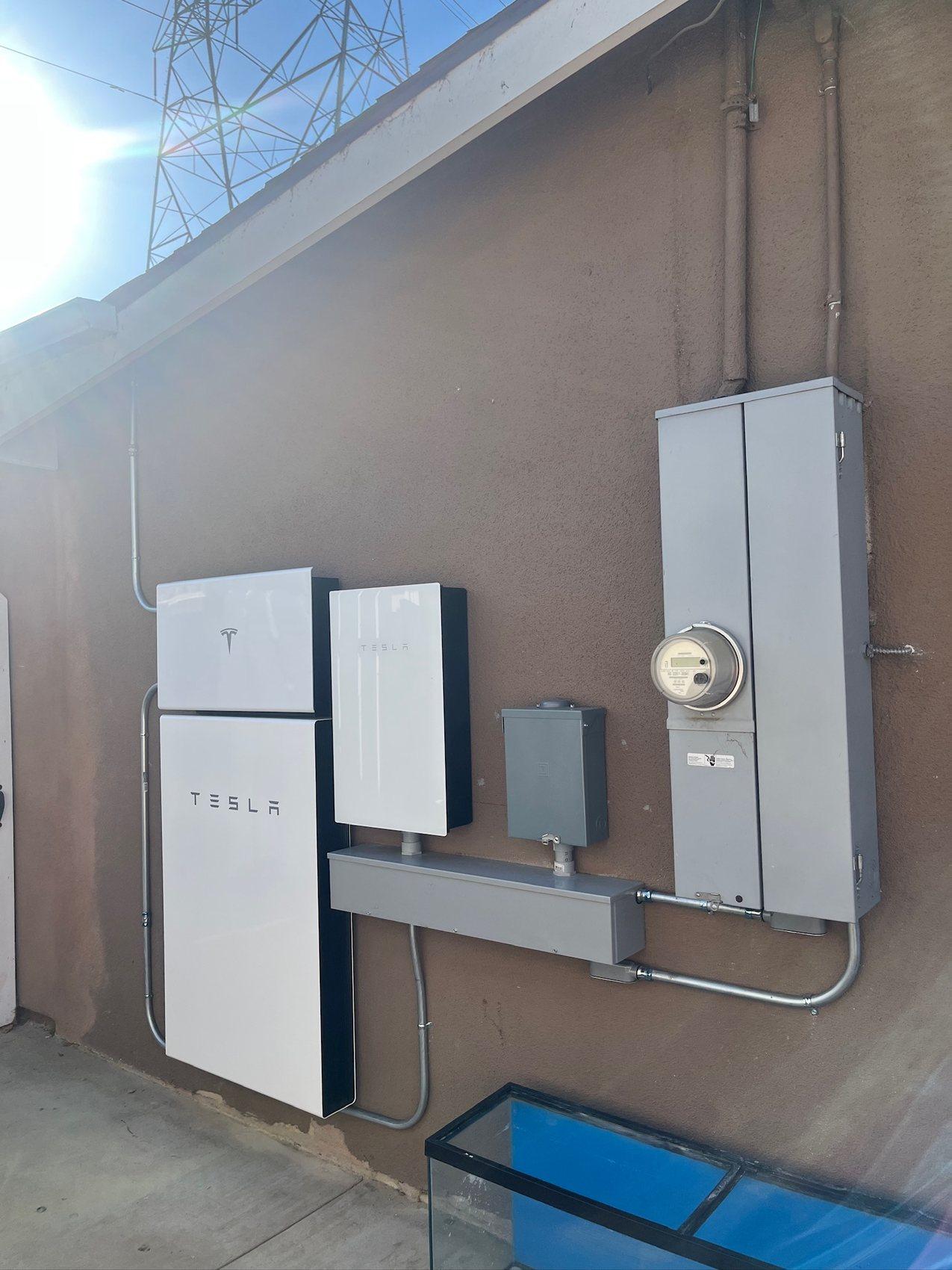
In a partial-backup design, an electrician moves your must-have circuits into a small backup-loads sub-panel that the battery feeds when the grid drops. The classic essentials set is refrigeration, LED lighting, Wi-Fi, a bank of outlets for phones and laptops, and the garage door — the circuits that keep food safe, keep you connected, and let you get the car out. Everything else stays on the main panel and simply goes dark with the neighborhood.
The numbers explain why this design is so effective. In our battery runtime calculator's reference loads, the essentials profile — a refrigerator drawing about 225 watts while running, roughly ten LED bulbs at 150 watts, a Wi-Fi router at 6 watts, and a TV at 150 watts — averages just 381 watts with peaks around 531 watts. Against one 13.5 kWh battery, that profile runs for about 35.4 hours on stored energy alone. Pair the battery with solar and the panels refill it every morning, so essentials effectively run indefinitely through a multi-day outage.
That is the quiet argument for partial backup: because the protected loads are tiny, one battery covers them with enormous margin, and the same battery still does its money job every ordinary day (more on that below). Our own install data says most homes agree: 84.8% of our completed battery projects use a single battery and 13.6% use two (OC Solar project data, as-of 2026-08-11). For most Southern California homes weighing cost against coverage, generous essentials — sometimes including a bedroom mini-split or window AC circuit — is where the value peaks.
What whole-home backup really requires
Whole-home backup means the battery system takes over the entire electrical panel when the grid drops — no sub-panel, no choosing circuits, every switch in the house works. Two specifications decide whether that is realistic: continuous power (kW) sets how much can run at once, and stored energy (kWh) sets how long it all runs — and a whole house consumes both far faster than an essentials panel does. Today's flagship wall batteries deliver roughly 10 to 11.5 kW of continuous power per unit, while modular microinverter batteries deliver less per unit and stack in multiples; the spec-for-spec numbers by product are the comparison guide's job, linked in the next section.
Adding batteries mainly adds energy, not magic: expansion raises the kilowatt-hours you can store, while the inverter rating of the equipped units sets what can run simultaneously. Every major ecosystem expands far past any residential need, so capacity ceilings are rarely the constraint. The design work is matching those two specs to your panel's actual loads — which is why a whole-home proposal should always start with a circuit-by-circuit load calculation, not a battery count.
The third ingredient is load management. A whole-home system needs a plan for the moments when the dryer, the oven, and the AC compressor all want power at once — so good designs shed heavy loads automatically. FranklinWH's aGate offers smart-circuit load management that can drop a pool pump or EV charger on its own when the grid fails; Tesla systems handle whole-home transfer through the Backup Gateway or the compact meter-mounted Backup Switch. Without load management, 'whole-home' can mean 'whole-home until the first overload.'
The AC question: will your battery start the compressor?
Most whole-home decisions in Southern California come down to air conditioning, and the hard part is not running the AC — it is starting it. A compressor motor draws a large inrush current for a fraction of a second at startup, measured as locked-rotor amps (LRA). Today's flagship wall batteries carry motor-start ratings high enough to start most residential central air conditioners on a single unit, while modular microinverter batteries typically need two units to start a large compressor. Whether your specific compressor and battery pair up is a spec-sheet question — our Powerwall 3 vs Enphase vs FranklinWH comparison has the exact motor-start and surge numbers for each platform.
Starting the compressor is half the problem; feeding it is the other half. A 3-ton central AC draws about 3.1 kW while running — roughly 3.1 kWh for every hour of compressor runtime. Run it continuously alongside the 381-watt essentials profile and one 13.5 kWh battery is empty in just under four hours. In practice compressors cycle, which stretches that meaningfully — but in an inland Orange County, Riverside, or San Bernardino heat wave, duty cycles run high exactly when outage risk peaks. That is the honest reason whole-home designs with real AC coverage usually carry two batteries: one to start and feed the compressor, and a second so the rest of the house is not living off the leftovers.
The middle path many of our customers choose: whole-home transfer with the AC on a managed circuit, or a partial design that includes one efficient cooling zone — a bedroom mini-split draws a fraction of what a 3-ton central compressor does. Cooling something matters more than cooling everything when the grid is down.
What can a 13.5 kWh battery run?
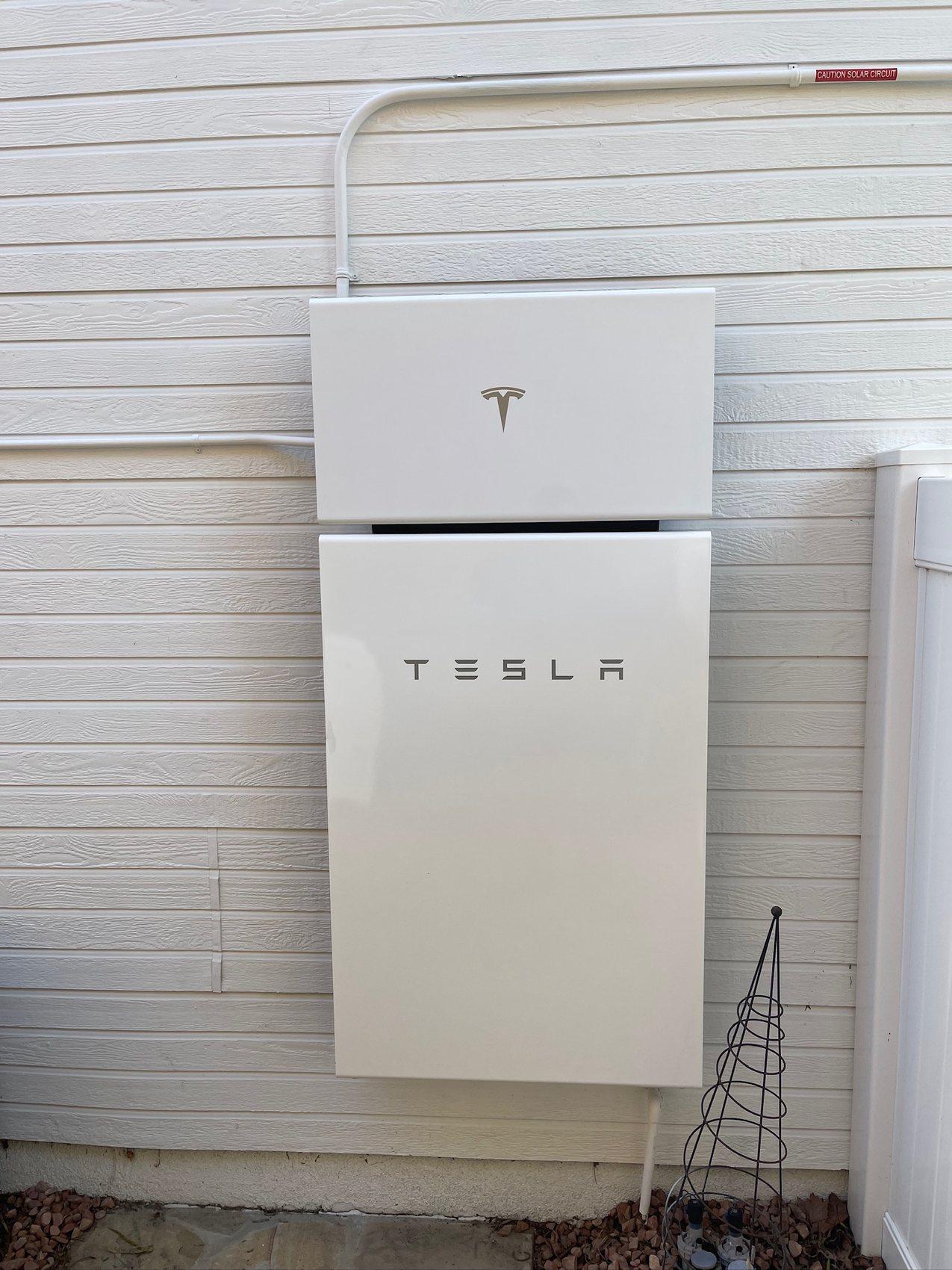
The fastest way to build intuition for the whole-home-versus-partial choice is to look at what each appliance actually draws — and the loads split cleanly into two categories. The essentials sip: refrigeration, lighting, Wi-Fi, and a TV together average under 400 watts — about 3% of a flagship battery's continuous output — which is why one 13.5 kWh unit carries them for about 35.4 hours, or indefinitely once solar refills it each morning.
Motor and heating loads gulp. A microwave pulls 1.5 kW in short bursts, a 3-ton central AC draws about 3.1 kW whenever the compressor runs, and a single Level 2 EV charger at 7.2 kW would drain the entire 13.5 kWh battery in under two hours — leave car charging off the backup panel. This is why backup design is circuit selection, not battery shopping: moving two or three heavy loads off the protected panel multiplies runtime by an order of magnitude.
You can test your own loads in about a minute: pick a battery, choose what stays on, and the battery runtime calculator estimates runtime for essentials and whole-home profiles. It is the fastest way to see whether your outage plan needs one battery or two — before anyone visits your roof.
What each path costs in Southern California
OC Solar's Tesla Powerwall 3 installation range is $9,995–$15,995, as of September 2026. $9,995 is for a basic installation with Participate Energy. Final pricing depends on the custom configuration and selected plan. Garage or outdoor placement, distance from the battery to the main service panel, whole-home or partial backup, and a Backup Switch or Gateway all affect the installation scope. Partial backup can require circuit moves or a sub-panel; whole-home backup depends on battery capacity, output and load management. Compare the actual designs rather than assuming one scope is always cheaper. Standalone battery permits can cost $1,000 or more, depending on the city's permitting fees. When batteries are installed with solar panels, battery permitting is often included in the solar permit cost. OC Solar confirms the local requirements and itemizes the permit allowance in your proposal.
The whole-home path usually means a second battery, and the second unit costs less than the first because the gateway, design, and permitting are shared. Our NEM 3.0 battery-math guide models an installed Powerwall 3 at about $14,000 incremental within a project — so a two-Powerwall whole-home design models out to roughly $29,500-$32,500 before any main-panel upgrade your home might need. Treat that as a planning anchor, not a quote: battery count, load-management hardware, and panel condition move the number, which is why we only commit to prices in an itemized proposal.
One incentive note so the budget math stays honest: the 30% federal residential tax credit (Section 25D) expired December 31, 2025 — a homeowner buying a battery with cash or a loan in 2026 gets no federal residential tax credit, and any quote built on one is misleading you. On a lease, PPA, or prepaid plan, the financier owns the system, claims the separate commercial Section 48E credit, and passes roughly 30% of that value through as lower pricing, through about 2027. California's SGIP general budgets largely closed at the end of 2025, leaving limited income-qualified pathways — worth checking, never worth assuming. If you are weighing a monthly payment against the bill it replaces, our financing comparison lays out cash, loan, and $0-down structures side by side.
Pricing note, September 2026: $9,995 is for a basic installation with Participate Energy. Final pricing depends on the custom configuration and selected plan. Compare the ownership/payment terms and installation scope, not just the starting price. See our Powerwall cost guide for the configuration details.
Backup sub-panel vs whole-home smart panel
There are really three architectures for deciding which loads a battery carries, and they scale in both flexibility and cost. The first is the backup-loads sub-panel: an electrician physically moves your protected circuits into a small panel the battery feeds. It is the simplest and least expensive approach, and its one limitation is that the choices are made in copper — changing which circuits are protected later means another electrician visit.
The second is whole-home transfer with load management. The battery system takes over the entire main panel through a transfer device — Tesla's Backup Gateway or meter-mounted Backup Switch; FranklinWH's aGate plays the same role in that ecosystem — and heavy loads are managed rather than rewired. This gets you the whole-home experience without abandoning circuits or replacing your panel, and it is the architecture most of our two-battery designs use — in our case almost always Tesla transfer hardware, given our install mix.
The third is the smart-panel replacement — SPAN and similar products — which swaps your entire load center for a panel with software control of every circuit, so you can re-prioritize loads from an app mid-outage. It is genuinely flexible, and it is also the most expensive path; in our experience it pencils best when your main panel needs replacement anyway, and is usually unnecessary when the battery ecosystem you chose already includes load controls. Our rule on all three: recommend the simplest architecture that covers your actual loads — our in-house electricians do the panel work either way, and the battery storage page shows how the designs differ.
Two batteries on SCE: what whole-home pays back daily
Here is the part of the whole-home-versus-partial decision most guides miss: backup scope and daily savings are separate questions. Whether your battery feeds a four-circuit sub-panel or the entire house during an outage, its full capacity cycles every ordinary day against your time-of-use rates — charging on cheap midday solar and discharging through the expensive evening. Choosing partial backup does not shrink your savings; it only defines what stays on when the grid fails.
The daily math is the same engine either way: the battery charges on midday solar and discharges through the 4-9 PM evening peak, and in our modeled SCE example one Powerwall 3 adds roughly $1,310 per year on top of solar-only savings — a projection for a specific usage profile, with the full worked numbers in our NEM 3.0 battery-math guide. Where a second battery earns its keep daily is bigger homes: two 13.5 kWh units hold 27 kWh, more than the average California home's roughly 16.5 kWh of daily usage, so larger evening loads stay off the grid too. Our customers largely buy that daily engine first — 93.6% of our 2025 solar installs included battery storage, roughly 9 in 10 since NEM 3.0 (OC Solar project data, as-of 2026-08-11) — and then decide backup scope as the second question. You can model your own usage against current rates with our savings calculator.
The same evening-peak logic applies across SDG&E and PG&E territory; LADWP runs its own rate structure, so for Los Angeles homes the design starts from the actual rate plan. In every territory, the battery earns daily and protects occasionally — the whole-home question only changes the second half.
Fire season changes the sizing question
Southern California outages are not random half-hour blips: during high winds and fire-risk weather, SCE and SDG&E de-energize lines in high-fire-threat areas as Public Safety Power Shutoffs — planned outages that can run a day or more, sometimes more than once a season in the foothill and canyon communities we serve. Why PSPS makes backup valuable in the first place is covered in our complete home battery backup guide; what matters here is what multi-day outages do to the sizing decision. (For the plain-language version of why Orange County homeowners pair solar with a battery at all, see keeping your lights on when the grid goes dark.)
Multi-day outages invert the usual math. A whole-home system without solar burns through even two batteries' 27 kWh in about a day of normal usage, then goes dark with everyone else. A modest essentials panel paired with solar runs indefinitely — the typical system we install, median 8.1 kW in 2026 (OC Solar project data, as-of 2026-08-11), refills a drained battery over a single sunny day. If PSPS resilience is your real motivation, solar pairing and circuit discipline matter more than battery count: design for days of essentials, not hours of everything. And if you are weighing a standby generator for multi-day resilience instead, our home battery vs generator comparison runs that trade-off.
How OC Solar designs the load-panel decision
We have installed solar, battery, and electrical work across Orange County and Southern California since 2016 — more than 30 MW installed, completed projects in 232 California cities (OC Solar project data, as-of 2026-08-11), a 4.8-star Google rating, CSLB #1023627. On batteries specifically, OC Solar is a Tesla Powerwall Premier Certified installer and one of just 12 companies on Tesla's Powerwall Pro Council; Tesla Powerwall accounts for 95.4% of our completed battery installs, with Enphase and Panasonic making up most of the rest (OC Solar project data, as-of 2026-08-11) — and the backup architecture still follows your panel and your loads, not a product line.
A backup design from us starts at your electrical panel, not a brochure: we pull your actual usage data, walk the panel circuit by circuit, model your 4-9 PM consumption and outage priorities, and check whether your main panel supports whole-home transfer before recommending anything. When the whole-home and partial numbers are close, you see both priced side by side in one itemized proposal — battery count, sub-panel or load-management hardware, permits, and the honest incentive picture, with savings shown as projections against your real rate plan. And when the install is done, the paperwork moves: SCE approves our permission-to-operate submissions in a median of 9 days (OC Solar project data, as-of 2026-08-11).
Start with a free estimate — we will tell you plainly which circuits are worth protecting, whether your AC makes the whole-home cut, and when the cheaper design is genuinely the better one.
FAQ
Partial (essentials) backup protects a selected set of circuits — typically refrigeration, lights, Wi-Fi, outlets, and the garage door — wired into a backup-loads sub-panel the battery feeds during an outage, and it usually takes one battery. Whole-home backup keeps every circuit live, including central AC and large appliances, which requires more power and stored energy — typically two or more batteries plus whole-home transfer hardware and load management. Partial is the value design; whole-home is the seamless one.
Often yes on power, rarely on energy. Today's flagship home batteries deliver 10 to 11.5 kW of continuous power with motor-start ratings that handle most residential central air conditioners. But a typical unit stores 13.5 kWh while the average California home uses roughly 16.5 kWh per day — so a single battery cannot carry unrestricted whole-home usage for a full day without solar recharging. Most true whole-home designs pair two or more batteries or use load management to shed heavy loads automatically.
Essentials, for a long time. Per OC Solar's battery runtime calculator, a refrigerator (about 225 W running), ten LED bulbs (150 W), Wi-Fi (6 W), and a TV (150 W) average 381 W together and run about 35.4 hours on one 13.5 kWh battery — indefinitely if solar recharges it daily. Heavy loads change the math fast: a 3-ton central AC uses about 3.1 kWh per hour of compressor runtime and would empty the battery in under four hours run continuously, and a Level 2 EV charger at 7.2 kW would drain it in under two.
Most whole-home designs in SCE territory use two to three batteries. Two 13.5 kWh units hold 27 kWh — more than the average California home's roughly 16.5 kWh of daily usage — which covers about a full day of normal whole-home consumption, and solar recharging extends that through multi-day PSPS shutoffs. Homes with central AC running hard in inland heat, pools, or EV charging trend toward the higher count; the honest answer comes from a circuit-by-circuit load calculation.
Most land on a single battery. In OC Solar's completed projects, 84.8% of battery installs use one battery, 13.6% use two, and under 2% use three or more (OC Solar project data, as-of 2026-08-11). In our design practice a single unit most often feeds an essentials-style backup panel, while two-unit projects are typically whole-home or heavy-AC designs — so the one-battery partial design is where most Southern California homes end up.
Yes — that is a minimal backup-loads sub-panel, and it is a legitimate design. A refrigerator draws only about 225 W while running and a garage door opener draws almost nothing outside brief bursts, so a single battery covers them with days of margin. Most homeowners add lighting, Wi-Fi, and an outlet circuit while the electrician is already there — very little extra draw, a lot more livability.
No. A smart panel like SPAN gives per-circuit software control by replacing your entire load center, and it is the most expensive of the three backup architectures. Most whole-home systems achieve the same practical result with a transfer device plus load management — Tesla's Backup Gateway or Backup Switch, or FranklinWH's aGate, which can automatically shed a pool pump or EV charger when the grid fails. A smart panel makes the most sense when your main panel needs replacement anyway; otherwise it is usually unnecessary cost.
In Southern California in 2026, a one-battery partial design runs about $13,000-$19,000 installed across the three major platforms' published ranges (Tesla Powerwall 3, Enphase IQ Battery 10C, FranklinWH aPower 2), with city permitting typically adding $1,000-$2,500. A two-battery whole-home design models out to roughly $29,500-$32,500, since the second unit adds about $14,000 with the gateway and permitting shared. Treat both as planning anchors, not quotes — load-management hardware and main-panel condition move the total either direction.
No. Backup scope only defines what stays on during an outage — every ordinary day, the battery's full capacity cycles against your time-of-use rates regardless of how the backup panel is wired, charging on midday solar and discharging through the 4-9 PM peak. In OC Solar's modeled SCE example, one battery adds roughly $1,310 per year on top of solar-only savings, and that projection is the same whether the battery backs up four circuits or forty. Actual savings depend on your rate plan, usage, and system design.
Sources
- 1.Tesla — Powerwall 3 Datasheet — Tesla · accessed 2026-08
- 2.Enphase — IQ Battery home storage — Enphase · accessed 2026-08
- 3.FranklinWH — aPower 2 home battery backup — FranklinWH · accessed 2026-08
- 4.SCE — Time-of-Use residential rate plans — Southern California Edison · accessed 2026-08
- 5.CPUC — Net Energy Metering Revisit (NEM 3.0 / Net Billing Tariff) — California Public Utilities Commission · accessed 2026-08
- 6.IRS — Residential Clean Energy Credit (Section 25D) — Internal Revenue Service · accessed 2026-08
- 7.CPUC — Self-Generation Incentive Program (SGIP) — California Public Utilities Commission · accessed 2026-08
We walk your panel circuit by circuit, model both backup designs against your real usage, and price them side by side — an itemized number, not a teaser.
Get both backup designs priced →